98

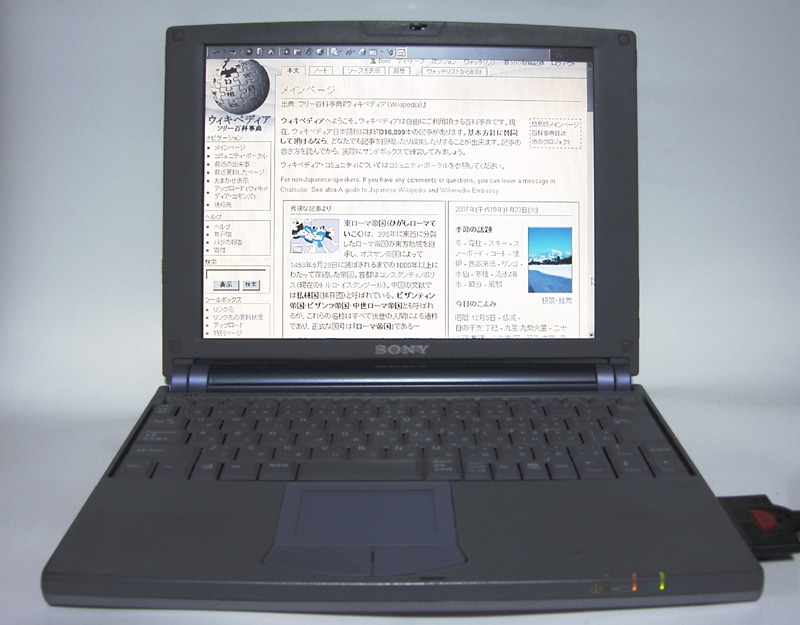
Sony VAIO PCG-505GX Win 98 Driver
CD/DVD DRIVES
File DescriptionUPDATE Real-Mode CD-ROM Driver UpdateRelease Date2/23/1999Version2File Size365.67 KB This update resolves the issue where the computer will not display the CD-ROM drive after shutting down and restarting in MS-DOS mode.
This update resolves the issue where the computer will not display the CD-ROM drive after shutting down and restarting in MS-DOS mode.
CAMERA
File DescriptionUPDATE Sony® PCGA-UVC10 USB Camera DriverRelease Date9/04/2003Version1.2.00.01172File Size11.08 MBThis utility will install the Sony® PCGA-UVC10 USB Camera Driver for VAIO® computer models. For the PCG-C1xx models only, it also resolves the following issues:
This utility will install the Sony® PCGA-UVC10 USB Camera Driver for VAIO® computer models. For the PCG-C1xx models only, it also resolves the following issues:- Camera volume is too low.
- Captured images are distorted when capturing images during a video chat using the Microsoft® Messenger software.
MODEM
File DescriptionUPDATE V.90 Modem UpgradeRelease Date6/19/2003Version2File Size1.15 MBThis utility upgrades the modem from a K56flex modem to the V.90 standard.
This utility upgrades the modem from a K56flex modem to the V.90 standard.
MOUSE
File DescriptionUPDATE VersaPad™ Mouse/Touchpad Device Driver UpdateRelease Date6/19/2003Version1.01.0610File Size861.38 KBThis update resolves the issue where the Mouse/Touchpad Device driver is listed as "PS/2 Compatible Mouse Port" after upgrading the computer to the Microsoft® Windows® 98SE operating system.
This update resolves the issue where the Mouse/Touchpad Device driver is listed as "PS/2 Compatible Mouse Port" after upgrading the computer to the Microsoft® Windows® 98SE operating system.
PC CARD
File DescriptionSony® CardBus ATA PC Card Driver for the PCGA-DVD51 External Optical DriveRelease Date10/06/2003Version1.9.2.0File Size138.55 KBThis program will copy the PCGA-DVD51 PC Card driver to the DVD51_98 folder located in the C:\Windows\Drivers directory.
This program will copy the PCGA-DVD51 PC Card driver to the DVD51_98 folder located in the C:\Windows\Drivers directory.
PERSONAL WEB SERVER
File DescriptionUPDATE Microsoft® Personal Web Server 4.0 ApplicationRelease Date2/23/1999Version2File Size21.35 MBThis utility installs the Microsoft Personal Web Server 4.0 application which may be missing from the notebook.
This utility installs the Microsoft Personal Web Server 4.0 application which may be missing from the notebook.
REALONE PLAYER/REALPLAYER SOFTWARE
File DescriptionUPDATE RealNetworks® RealPlayer® Security Update NoticeRelease Date2/11/2004VersionNAFile SizeVariesThis RealPlayer® Update resolves security issues within RealNetworks® RealOne Player, RealOne Player version 2, and RealPlayer 8.
This RealPlayer® Update resolves security issues within RealNetworks® RealOne Player, RealOne Player version 2, and RealPlayer 8.
SONICSTAGE® SOFTWARE
File DescriptionUPDATE SonicStage® SoftwareRelease Date11/20/2006Version4.2.02.11020File Size82.76 MBThis utility installs an updated version of Sony® SonicStage® software and provides the following enhancements:
This utility installs an updated version of Sony® SonicStage® software and provides the following enhancements:- DSEE (Digital Sound Enhancement Engine)
- HE-AAC codec support
- CD Ripping in HE-AAC format
VIDEO
File DescriptionUPDATE Motion JPEG Software Decoder UtilityRelease Date5/05/2000Version1.00.10File Size1.77 MBThis utility installs the Sony Motion JPEG Software Decoder.
This utility installs the Sony Motion JPEG Software Decoder.
File DescriptionUPDATE NeoMagic Video Driver UpdateRelease Date1/22/1999Version6.17QFile Size273 KBThis update resolves the issue where the computer does not Resume/Suspend correctly after being in Resume/Suspend mode for a long period of time. This usually happens when the battery power is too low.
This update resolves the issue where the computer does not Resume/Suspend correctly after being in Resume/Suspend mode for a long period of time. This usually happens when the battery power is too low.
No comments:
Post a Comment